

Pinterest Videos Scraper | Video Downloader, MP4 Links, Stats
Pricing
from $2.54 / 1,000 videos
Pinterest Videos Scraper | Video Downloader, MP4 Links, Stats
Pinterest video scraper and downloader: direct MP4 links, HLS streams, duration, captions, saves, repins, comments, shares, creator and board for every video pin. Search by keyword or paste board, profile and pin links or pin ids. 20 videos in 6 seconds, 41 fields each, no Pinterest account.
Pricing
from $2.54 / 1,000 videos
Rating
0.0
(0)
Developer

SilentFlow
Maintained by CommunityActor stats
0
Bookmarked
2
Total users
1
Monthly active users
4 days ago
Last modified
Categories
Share
Pinterest Videos Scraper | Video Downloader, MP4 Links and Stats (2026)
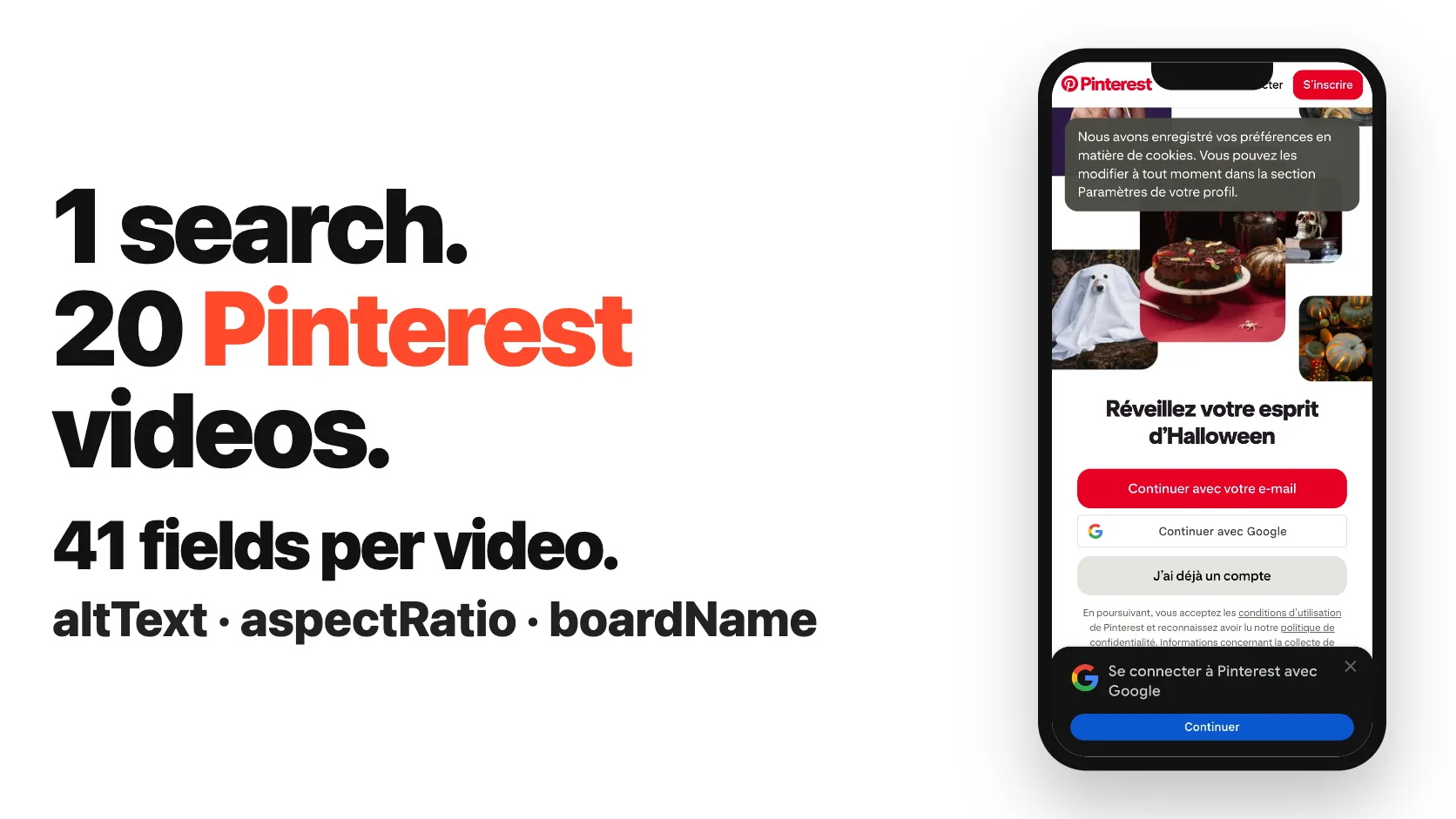
From SilentFlow. Creators of Pinterest Scraper and Leboncoin Scraper, with 420,000+ combined lifetime runs.
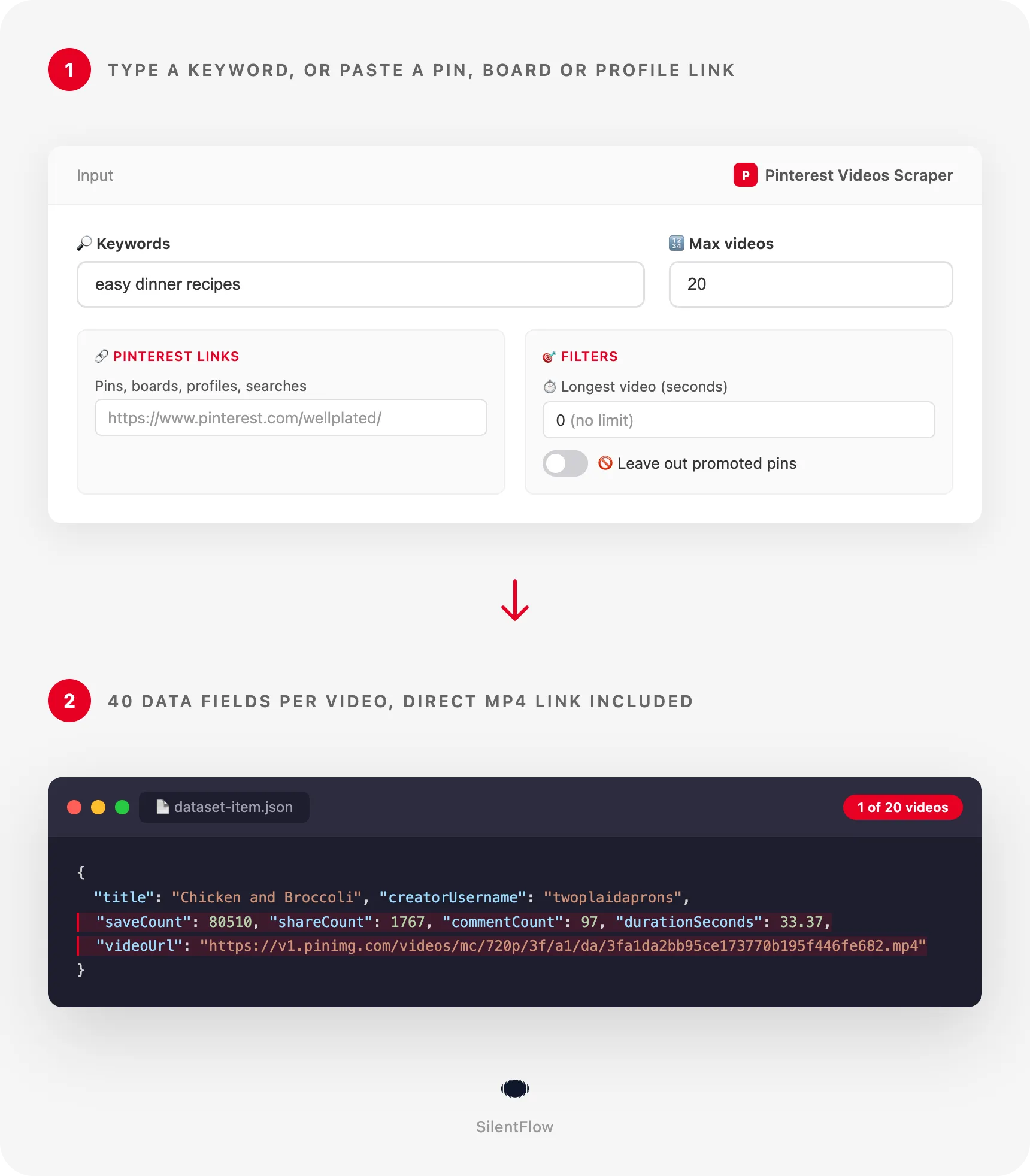
Every Pinterest video on a topic, a board or a profile, in one table: the direct MP4 file, how long it runs, and how many people saved, shared and commented on it. Type a keyword, paste pin, board, profile or search links, or drop in pin ids. Each video becomes one row you can sort, filter and download. 20 videos for "easy dinner recipes" in about 4 seconds on the prefilled run, no Pinterest account.
Why choose this actor?
Saving Pinterest videos one by one from the app? Pasting pin links into a downloader that only takes pin links, and gives back a file with no numbers? Guessing which recipe, decor or beauty videos actually get saved, because Pinterest never shows the counts side by side?
- Three ways in, all in the same run: keywords, links and pin ids. The most used Pinterest video downloader on the Store reads pin links and nothing else. Here you search Pinterest's video tab by keyword, paste a board, a profile, a search link, a pin or a pin.it short link, and refresh a list of pin ids. On a local run, one board, one profile, one pin and one search link returned 40 videos in 8 seconds, with the cap shared evenly between them.
- Nothing to fill in before you press Start. The most used Pinterest video downloader makes its list of links mandatory. Here no field is required: the form comes prefilled with the keyword "easy dinner recipes", so the first run returns rows right away. On the prefilled run, 20 videos came back in about 4 seconds, and all 20 MP4 links opened as video files.
- 38 data fields filled per video, not just a file link. The most used Pinterest video downloader returns a title and a list of media files. On the prefilled run (20 videos, 14 Oct 2026), 38 of the 40 data fields of a row carry a value on at least half the rows, 35 of them on every row: the MP4 and the stream, length, width and height, the thumbnail and cover image, title, description, alt text and topic tags, the creator with follower count and verified badge, the account that saved it, its board, saves, repins, comments, shares, reactions and the publication date.

Try your first Pinterest video search
Paste this input into the Input tab (JSON view) and press Start. It is the prefilled input of the form: the first 20 videos Pinterest shows for "easy dinner recipes".
The Apify Free plan is enough to run it and to test the actor on your own topics: no credit card, no Pinterest account, no setup. Each video becomes one row of the dataset, which you can export as JSON, CSV or Excel, or read from the API. The table opens on a view with the thumbnail, title, creator, length, saves, publication date and the MP4 link; two more views list the video files and the engagement numbers.
| SilentFlow · Pinterest suite | ||
 Pinterest Scraper Pinterest ScraperPins, Boards and Profiles |  Pinterest Scraper Pinterest ScraperPinterest Scraper | Pinterest Videos Scraper You are here |
Copy to your AI assistant
Paste this block into Claude, ChatGPT or Cursor to give it the full context of this actor:
How to scrape Pinterest videos
Three inputs, from the simplest to a combined run. Each one runs as is in the JSON view of the Input tab.
Get the top videos for a topic
One keyword is enough. Pinterest ranks the videos as it does on its own video tab, and the position column keeps that rank.
Download every video of a board and a profile
Paste the links straight from your browser. Boards and profiles mix images and videos: only the videos become rows, and each row says which link found it in sourceUrl.
Collect short videos only, without ads, across several topics
Keywords, length filters and the promoted filter work together. This keeps videos between 15 and 60 seconds, leaves out promoted pins, and adds two pins you already know, which are delivered whatever their length. On a local run of this shape (one keyword and three pin ids), 30 videos came back in 7 seconds and 15 videos were left out by the filters.
Input parameters
| Field | Type | Default | What it does |
|---|---|---|---|
searchQueries | list of text | prefilled with easy dinner recipes | Keywords searched in Pinterest's video tab, one per line. Up to about 180 videos per keyword. |
startUrls | list of links | none | Pin, pin.it, board, profile or search links, on any Pinterest domain. |
pinIds | list of text | none | Pin ids such as 989525349381756600. One row per id, with fresh numbers. |
maxItems | number | 50 | Stop after this many videos in total, shared evenly between keywords and links. |
minDurationSeconds | number | 0 | Skip found videos shorter than this many seconds. 0 keeps every length. |
maxDurationSeconds | number | 0 | Skip found videos longer than this many seconds. 0 means no upper limit. |
excludePromoted | true/false | false | Leave out promoted pins (ads) found by keywords, boards and profiles. |
No field is required, but a run needs at least one keyword, link or pin id; with none, it stops at once and says so.
Accepted formats
- Keywords: any words you would type in Pinterest's search bar, in any language:
easy dinner recipes,nail art,recette facile,wohnzimmer deko. Each keyword is one search; duplicates are read once. - Pin links:
https://www.pinterest.com/pin/989525349381756600/, the same on a country domain (fr.pinterest.com,pinterest.co.uk,pinterest.de), and pin links that carry a title before the id (/pin/sheet-pan-eggplant-parmesan--419679259045653541/). - Short links:
https://pin.it/...links from the share button of the app. Each one is opened and read as the pin, board or profile it leads to. - Boards:
https://www.pinterest.com/<user>/<board>/. A board section link is read as its board. - Profiles:
https://www.pinterest.com/<user>/, also with/_created/or/_saved/at the end. - Searches:
https://www.pinterest.com/search/videos/?q=meal%20prepor/search/pins/?q=...; the words afterq=are searched in the video tab. - Pin ids: digits only, typed alone or taken from the
idcolumn of an earlier run.
A link that is not a pin, board, profile or search (an idea page, the home page, another site) is skipped and counted in the run log, and the rest of the run goes on.
What data can you extract from Pinterest?
Each row is one Pinterest video, with 40 data fields grouped the same way on every row, plus 4 fields that say how the row was found. A value Pinterest does not give is null, never an empty string.
- Identity (4):
id, the pin id that never changes;url, the permanent pin page;title;description. - Content (6):
altText(Pinterest's description of the image, useful when a pin has no caption of its own),category,hashtags,tags(Pinterest's topic tags for the pin, such as "Chinese Healthy Recipes"),link(where the pin sends people) and itsdomain. - Creator, pinner and board (10): the account behind the video (
creatorUsername,creatorName,creatorFollowerCount,creatorUrl,creatorIsVerified), the account that saved this copy (pinnerUsername,pinnerName,pinnerFollowerCount) and the board it sits on (boardName,boardUrl). When Pinterest names no creator, the pinner stands in for it. - Engagement (5):
saveCount,repinCount,commentCount,shareCount,reactionCount, read at the time of the run. - Time (1):
createdAt, when the pin was published, in RFC 3339 (UTC). - Video and media (14):
videoUrl(the direct MP4 file),videoQuality,hlsUrl(the stream),durationSeconds,width,height,aspectRatio,thumbnailUrl(the first frame),imageUrl(the cover image at full size),captionsUrlandcaptionsLanguage(a WebVTT caption file where the video has one),isStoryPin,isPromoted,dominantColor. - How it was found (4):
searchQuery,sourceUrl,position(rank of the video in its keyword, board or profile) andscrapedAt.
On the prefilled run, 35 data fields were filled on all 20 rows. Captions were there on 11 of the 20 videos; on a 100-video run of two keywords, on 42. category and hashtags are filled only when the creator set them, which is rare.
Output example
One real row from the prefilled run (14 Oct 2026), unchanged:
width and height are the size of the video as uploaded; the MP4 file is the 720p version Pinterest serves to its players. id and url are stable and safe to use as keys when you merge runs.
Advanced usage
Five recipes for the jobs teams run most. Each input runs as is.
Track a competitor's new videos every week
Point the actor at a profile and schedule it weekly from the Schedules tab. Each run reads the newest pins first, so the top rows are what the account posted since the last run; join on id to see the saves and shares of older videos grow.
Build a short-form library for one niche
Several keywords of the same niche, videos under 30 seconds, no ads. The cap is shared evenly, so each keyword brings its own top videos instead of the first one filling the run. Sort by saveCount to see what people keep.
Refresh the numbers of a list of videos
Keep the pin ids of the videos you follow (your own, a client's, a campaign's) and rerun them. Each id gives one row with the current saves, repins, comments and shares, and the MP4 link to the file.
Turn a board into a folder of MP4 files
Run the board, then download every videoUrl with the tool of your choice. A few lines of Python with the Apify client do it in one go:
Feed a captioned video dataset
Search broad keywords, then keep the rows where captionsUrl is set: each one pairs an MP4 file with a WebVTT caption file, alt text and topic tags. On a 100-video run of two cooking and decor keywords, 42 videos had captions.
FAQ
Do I need a Pinterest account? No. The actor reads public Pinterest videos only. There is no login, no API key and nothing to connect.
What exactly do I get for each video? One row with 40 data fields: the direct MP4 file and the stream, length and size, captions where they exist, title, description, alt text and topic tags, the creator, the account that saved it and its board, saves, repins, comments, shares, reactions and the publication date. The section above lists them all.
How many videos can I get per keyword?
Pinterest serves up to about 180 videos for one keyword in its video tab; a test on "diy crafts" ran dry at 180. To collect more on a topic, add related keywords, boards or profiles. There is no other limit than maxItems.
Are the MP4 links real files I can download?
Yes. videoUrl is the MP4 file Pinterest serves to its own players, usually in 720p. On the prefilled run, all 20 links opened as video files. You can open them in a browser, download them with any tool, or pass them to an editor.
Do the video links expire? The MP4, stream, thumbnail and image links have no expiry date in their address and keep working as long as Pinterest keeps the video. A pin its owner deletes takes its files with it, so download what you need to keep. Saves, repins, comments and shares are a snapshot of the time of the run.
Why do some boards or profiles give fewer videos than pins? Boards and profiles mix images and videos, and only the videos become rows. On the profile used in the examples, 3 of the 25 latest pins were videos. The run moves on after several pages in a row without a new video, so an account that posts only images ends quickly.
Can I search several keywords and links in one run?
Yes. Keywords, links and pin ids all go in the same run. Pins you name are read first, then the boards, profiles and search links, then the keywords, and maxItems is shared evenly between them. A video found twice is delivered once.
Can I combine the filters?
Yes, they add up. minDurationSeconds: 15, maxDurationSeconds: 60 and excludePromoted: true keep the videos between 15 seconds and a minute that are not ads. Videos left out are counted in the run log and never delivered. A pin you name by link or id is always delivered, whatever its length.
Why does a row have no title?
Many creators publish a video with only a description, or with nothing at all. The row then carries altText, Pinterest's own description of the image, and the topic tags, so you still know what the video shows.
What is the difference between the creator and the pinner? The creator is the account that published the video; the pinner is the account that saved the copy you found, on its own board. On a brand's own pin they are the same; on a repin they differ. When Pinterest names no creator, the pinner fills both.
Why did a pin id give no row? Either the pin has no video (an image pin), or it was deleted, made private, or the id was mistyped. The run log says which, pin by pin, and the rest of the run goes on.
What is Pinterest video? Pinterest is a visual discovery platform where people save ideas to boards. Its video pins are short vertical videos, much like TikTok or Instagram Reels, but searched and saved for months: a recipe video from 2023 can still collect saves today. That long shelf life makes the save counts a strong signal of what content keeps working.
More SilentFlow scrapers
🛒 E-commerce
 Leboncoin - Leboncoin Scraper | Classified Ads, Prices and Sellers
 Leboncoin - Leboncoin Ad Details Scraper
 Back Market - Back Market Scraper | Refurbished Prices
 ImportYeti - US Customs Records, Suppliers & Trade Data - ImportYeti Scraper - US Customs Records, Suppliers & Trade Data
 TikTok Shop - TikTok Shop Scraper | Products, Sellers and Creator Videos
 1688 Wholesale - 1688 Wholesale Scraper
 Naver - Naver Scraper | Shopping Products, Prices and Reviews
 Udemy Course - Udemy Course Scraper
 JD - JD Products Scraper | Prices, Brands and Barcodes
 Store Leads Ecommerce - Store Leads Ecommerce Scraper
 Amazon Seller - Amazon Seller Scraper | Emails, Phones and Ratings
 Naver - Naver Reviews Scraper | Shopping Product Reviews
 Bring a Trailer - Bring a Trailer Scraper
 Lowes - Lowes Products Scraper | Prices, Stock and Specs
 Store Leads - Store Leads Scraper | Shopify Data
 Avito - Avito Scraper | Listings, Prices and Sellers
 Leboncoin - Leboncoin Scraper
 Mobile.de - Mobile.de Scraper
 Naver - Naver Products Scraper | Shopping Prices, Sellers and Ratings
 Taobao - Taobao Scraper | Products, Prices and Sellers
 Udemy - Udemy Scraper
 Agoda - Agoda Scraper | Hotel Prices and Guest Ratings
 Alibaba - Alibaba Products Scraper | Wholesale Prices and MOQ
 AliExpress - AliExpress Reviews Scraper | Feedback, Ratings and Photos
 AliExpress - AliExpress Scraper | Products, Prices and Sales
 Allegro - Allegro Scraper | Products, Prices and Sellers
 Avito - Avito Profiles Scraper | Sellers, Ratings and Reviews
 Back Market - Back Market Scraper | Refurbished Electronics Prices
 BAUHAUS - BAUHAUS Scraper | Product Prices, EAN and Specs
 CARFAX - CARFAX Scraper | Used Cars, Prices and History
 Coupang - Coupang Detail Scraper | Product Prices and Options
 Ctrip - Ctrip Scraper | Attractions, Tickets and Reviews
 eBay Marketplace - eBay Marketplace Scraper
 Europages - Europages Scraper | Suppliers and B2B Companies
 Eventim - Eventim Scraper | Events, Ticket Prices and Venues
 GasBuddy - GasBuddy Scraper | Gas Prices by Station
 Google Hotels - Google Hotels Scraper | Prices, Offers and Ratings
 Homedepot - Homedepot Reviews Scraper | Customer Reviews and Ratings
 Leboncoin - Leboncoin Details Scraper | Full Ad Data and Sellers
 Mercari - Mercari Scraper | Listings, Sold Prices and Sellers
 Vinted Marketplace - Vinted Marketplace Scraper
 Walmart - Walmart Product Scraper
 Alibaba - Alibaba Scraper | Products, Prices and Suppliers
 Amazon - Amazon Product Scraper
 Amazon Marketplace - Amazon Marketplace Scraper
 AutoScout24 - AutoScout24 Scraper
 eBay Listings - eBay Listings Scraper
 Europages Deep Dive Extractor - Europages Deep Dive Extractor | VAT, Decision Makers, ISO Certs
 Trip - Trip Scraper | Hotels, Prices and Reviews
 Vinted - Vinted Scraper
 Walmart - Walmart Scraper | Prices, Reviews, Sellers, Availability
💼 Jobs
 ZipRecruiter - ZipRecruiter Jobs Scraper | Salary, Company & Location Filters
 Indeed - Indeed Company Reviews Scraper
 Multi Board - Multi Board Job Scraper
 Glassdoor Job Listings - Glassdoor Job Listings Scraper
 🔥 Glassdoor - 🔥 Glassdoor Scraper
 LinkedIn Job Search - LinkedIn Job Search Scraper | Salaries & Seniority
 ATS - ATS Jobs Scraper | Greenhouse, Lever and Ashby
 Dice Tech - Dice Tech Jobs Scraper
 iimjobs - iimjobs Scraper | Jobs, Companies and Recruiters
 Jora - Jora Jobs Scraper
 Malt Freelancer - Malt Freelancer Scraper
 Malt - Malt Scraper | Freelance Profiles
 Welcome to the Jungle - Welcome to the Jungle Job Scraper
 All - All Jobs Scraper
 Arbeitsagentur - Arbeitsagentur Jobs Scraper
 Cutshort - Cutshort Jobs Scraper | Salaries, Skills and Companies
 Dice - Dice Jobs Scraper | US Tech Jobs, Salaries, Skills
 Glassdoor - Glassdoor Jobs Scraper
 Indeed - Indeed Jobs Scraper | Job Listings in 73 Countries
 Jora - Jora Scraper | Jobs in Australia, New Zealand, Singapore
 StepStone - StepStone Scraper
 YCombinator - YCombinator Jobs Scraper | Startup Jobs, Salaries and Founders
 Arbeitsagentur - Arbeitsagentur Scraper | German and Austrian Job Board
 Indeed - Indeed Companies Scraper | Reviews, Salaries, Interviews
 Indeed - Indeed Jobs Scraper | NLP Skills
 LinkedIn - LinkedIn Jobs Scraper
 Naukri & NaukriGulf - Naukri & NaukriGulf Jobs Scraper
 Seek - Seek Job Scraper
 Welcome to the Jungle - Welcome to the Jungle Scraper | Jobs and Company Data
 Ziprecruiter - Ziprecruiter Scraper
🏠 Real estate
 SeLoger - SeLoger Scraper | Real Estate Listings
 Anjuke - Anjuke Scraper | Rental Listings, Prices and Agents
 Realtor Rental Listings - Realtor Rental Listings Scraper
 Airbnb Pro Host Contact & - Airbnb Pro Host Contact & Email Scraper
 Bien'ici - Bien'ici Scraper | Property Listings
 Rightmove - Rightmove Scraper
 Trulia Rental Listings - Trulia Rental Listings Scraper
 Airbnb Professional Host - Airbnb Professional Host Scraper | Emails, Phones, SIRET
 Airbnb Search - Airbnb Search Scraper
 Bienici - Bienici Scraper
 Idealista - Idealista Scraper
 Realestate.com.au - Realestate.com.au Scraper
 SeLoger - SeLoger Scraper | French Property Listings and Agencies
 Zillow - Zillow Scraper
 Airbnb Search - Airbnb Search Scraper | Prices, Fees, Amenities, Hosts
 Idealista - Idealista Scraper
 Realtor Rental - Realtor Rental Scraper
 Trulia Rental - Trulia Rental Scraper | US Rentals, Prices, Pet Policy
📣 Social media
 LinkedIn Post Search - LinkedIn Post Search Scraper | Keywords, Hashtags & Profiles
 Facebook Search - Facebook Search Scraper
 Instagram - Instagram Story Scraper | Stories & Highlights
 LinkedIn Leads - LinkedIn Leads Scraper | Sales Navigator Export
 TikTok - TikTok Scraper
 YouTube - YouTube Channel Scraper | Videos, Shorts and Views
 Instagram Engagement - Instagram Engagement Scraper
 Facebook Search - Facebook Search Profiles Scraper | People by Name or Keyword
 Meta Ad Library - Meta Ad Library Scraper
 OnlyFans - OnlyFans Profile Scraper
 TikTok Trend - TikTok Trend Scraper | Trending Hashtags and Videos
 OnlyFans - OnlyFans Creator Scraper
 Skool Community - Skool Community Scraper
 Bilibili - Bilibili Scraper
 Facebook Thread - Facebook Thread Profiles Scraper | Followers, Bios & Engagement
 Kuaishou - Kuaishou Scraper | Videos, Comments and Creator Stats
 LinkedIn Event - LinkedIn Event Scraper
 Reddit - Reddit Scraper | Posts, Comments and Subreddits
 Reddit - Reddit Scraper | Comments, Posts and Users
 Snapchat - Snapchat Contacts Scraper | Phones, Emails and Websites
 Weibo - Weibo Scraper | Posts, Profiles and Engagement
 Xigua - Xigua Scraper | Videos, Creators and Downloads
 Discord - Discord Scraper | Servers, Member Counts and Invites
 Facebook - Facebook Company Scraper | Emails, Phones, Ratings
 Facebook Business Page - Facebook Business Page Scraper
 Kwai - Kwai Scraper | Videos, Creators and Hashtags
 LinkedIn Ads Library - No Cookies - LinkedIn Ads Library Scraper - No Cookies
 LinkedIn Hashtag & - LinkedIn Hashtag & Post Scraper | No Cookies
 Skool Group - Skool Group Scraper
 Snapchat - Snapchat Ads Scraper | Ad Library, Impressions & Targeting
 YouTube - YouTube Transcript Scraper
🏢 Business data
 Tencent - Tencent Scraper | Maps Places, Phones and Ratings
 LinkedIn People Search - LinkedIn People Search Scraper | Profiles & Companies
 LinkedIn Company Search - LinkedIn Company Search Scraper | Profiles & Firmographics
 Company Data - Company Data Scraper | Emails, Phones and Tech Stack
 FanDuel - FanDuel Scraper | Odds, Spreads and Player Props
 ForexFactory - ForexFactory Scraper | Economic Calendar and Forecasts
 Justdial - Justdial Companies Scraper | Business Leads, Phones and Emails
 Kakao - Kakao Scraper | Map Places, Reviews and Phones
 OpenTable - OpenTable Reviews Scraper | Restaurant Reviews and Ratings
 SoftwareAdvice - SoftwareAdvice Scraper | Reviews, Ratings and Pros & Cons
 Teachable Course - Teachable Course Scraper
 Zomato - Zomato Reviews Scraper | Restaurant Ratings and Replies
 2GIS - 2GIS Reviews Scraper | Ratings, Photos and Owner Replies
 LinkedIn Sales Navigator - LinkedIn Sales Navigator Scraper
 Teachable - Courses, Prices & Instructors - Teachable Scraper - Courses, Prices & Instructors
 Trustpilot - Trustpilot Scraper | Reviews, Ratings and Company Contacts
 Website Tech Stack - Website Tech Stack Scraper
✈️ Travel
 Google Maps - Google Maps Scraper
 Booking.com Hotel - Booking.com Hotel Scraper
 Flight Price - Flight Price Scraper
 Trip - Trip Reviews Scraper | Hotel Reviews and Ratings
 Booking - Booking Scraper | Hotel Prices, Photos, Availability
🎯 Lead generation
 Northdata - Northdata Company Scraper
 ZocDoc - ZocDoc Scraper | Doctors, Reviews and Availability
 UK Companies House - UK Companies House Enricher
 Dealroom - Dealroom Scraper | Companies and Investors
 CNPJ Brazilian - CNPJ Brazilian Company Enricher
 Google Ads Transparency - Google Ads Transparency Scraper
 SIRET - SIRET Company Enricher
 BuiltWith - BuiltWith Scraper | Tech Stacks and Top Sites
 Domain - Domain Enricher
 French Company Prospector - French Company Prospector
 SEC - SEC Scraper | EDGAR Filings and Company Data
 USPTO - USPTO Scraper | Trademark Search and Status
 ZocDoc - ZocDoc Scraper
 Clutch - Clutch Scraper | Agencies, Reviews, Ratings, Services
 Clutch Agency - Clutch Agency Scraper
 Dealroom Startup Data - Dealroom Startup Data Scraper
 G2 - G2 Reviews Scraper
 PagesJaunes - PagesJaunes Scraper | French Business Emails and SIRET
 PagesJaunes - PagesJaunes Business Scraper
 SIRET French - SIRET French Company Enricher
 ThomasNet Suppliers - ThomasNet Suppliers Scraper
🔎 SEO
 Similarweb - Similarweb Scraper | Website Traffic, Rankings and Competitors
 Google News - Google News Scraper
 Apple - Apple Scraper | App Store Apps, Ratings and Charts
📈 Marketing
 Pexels -
 🧰 More tools
 PrizePicks - PrizePicks Scraper | Player Props, Lines and Projections
 Apple - Apple Reviews Scraper | App Store Reviews and Ratings
Support
Need something this scraper doesn't do yet? We ship features fast.
- Feature requests go straight to our backlog
- Enterprise needs? We do custom integrations and high-volume plans
- Pricing questions? Check the Monetization tab on the actor page
Response time: usually under 24 hours.
Legal compliance
This actor extracts publicly available data from Pinterest: video pins anyone can see without an account. It does not bypass any login, paywall or CAPTCHA, and it cannot read secret boards or private profiles. Users are responsible for complying with Pinterest's terms of service and applicable data protection laws (GDPR, CCPA, and PIPL where relevant). The output names the creators and pinners of each video; when it contains personal data, users must handle it accordingly. The videos belong to the people who made them: check the creator's rights before republishing any of them. The data returned is informational; verify accuracy for regulated use cases.
Pinterest Videos Scraper by SilentFlow: Pinterest's video pins as a dataset, with the file and the numbers of each one.


