

Udemy Course Scraper
Pricing
from $2.30 / 1,000 results
Udemy Course Scraper
Udemy scraper that extracts course data from topic pages and course URLs: titles, ratings, review counts, students, prices, instructors, objectives, requirements, curriculum and caption languages. Our 2026 test run returned 18 courses in 63 seconds, 51 fields each. Export to JSON, CSV or Excel.
Pricing
from $2.30 / 1,000 results
Rating
0.0
(0)
Developer

SilentFlow
Maintained by CommunityActor stats
1
Bookmarked
249
Total users
132
Monthly active users
26 minutes ago
Last modified
Categories
Features
Share
Udemy Course Scraper | Prices, Discounts, Reviews and Instructors (2026)
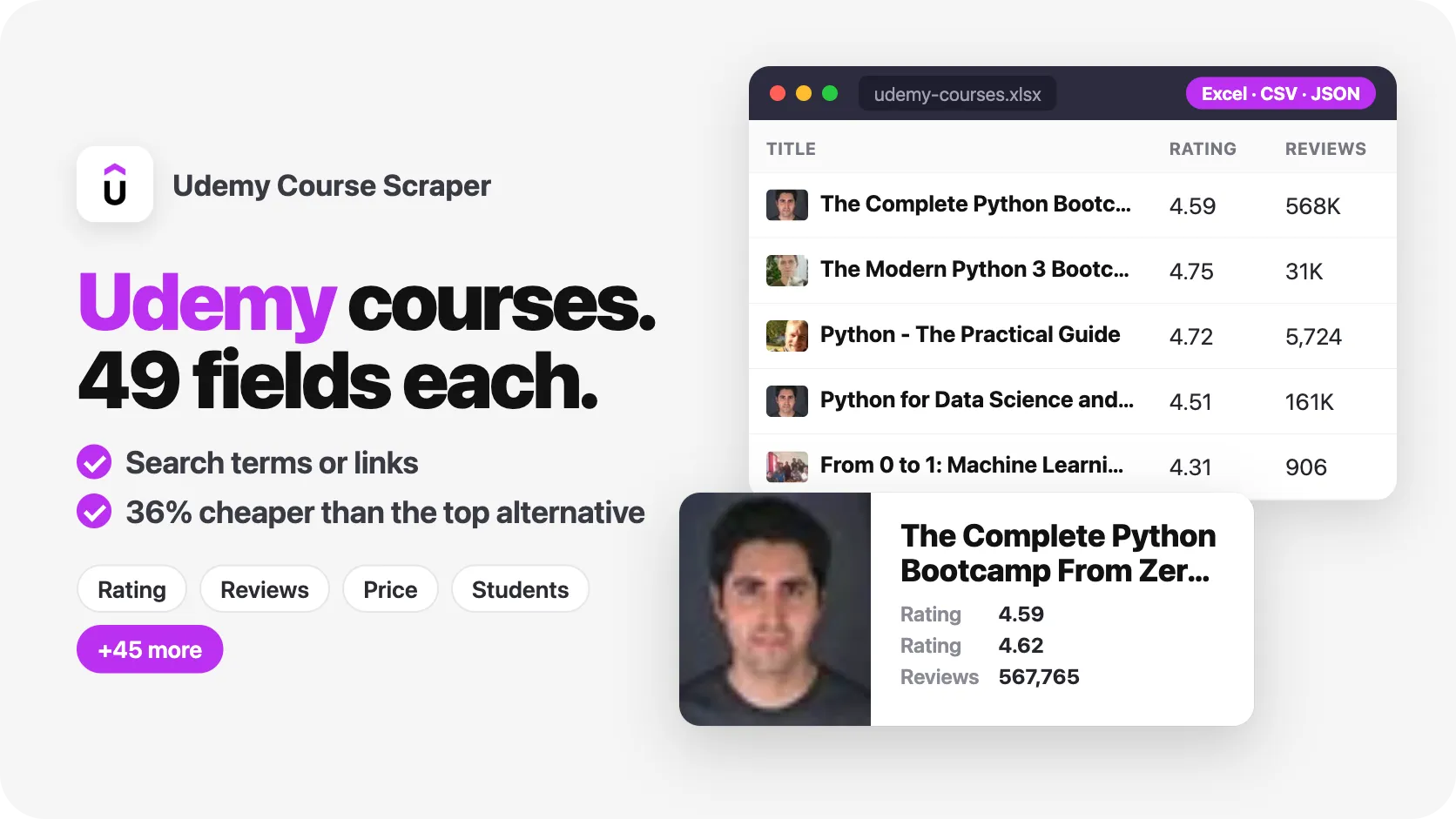
From SilentFlow. Creators of Facebook Search Scraper and JD Products Scraper (#1 for “jd scraper” in Apify Store search), with 890,000+ combined lifetime runs.
Every Udemy course behind a keyword, a topic or an instructor, with today's price, its discount and coupon, students, curriculum, written reviews and the instructor's profile. 50 courses in about 3 minutes.
Why choose this actor?
Copying Udemy prices into a spreadsheet one course at a time? Getting the dozen courses a topic page shows when the topic holds thousands? Need the reviews and the instructor's links, not just the course title?
- The whole topic, not one page. A topic link reaches every course of the topic through Udemy's own search: 3,817 courses for Python on our last run, where the topic page itself lists about a dozen. Keywords and search links go up to 10,000 courses each.
- The price a visitor pays today. Each course comes with its sale price, list price, discount percent, the campaign coupon behind it and the end of the sale, read for the whole batch at once. Every one of the 50 rows of our last keyword run carried its sale and list price.
- Reviews and instructors on the same row. Ask for up to 10,000 written reviews per course (text, stars, date, reviewer, instructor reply) and the instructor's bio, social links, students, courses and reviews. Our test run returned 6 filtered courses with 5 reviews and a full instructor profile each in 28 seconds.
- Udemy's own filters. Language, level, minimum rating and free or paid are applied by Udemy before a course is read, so you only collect what you asked for. A search link copied from your browser keeps its filters, sort and duration.
- 57 fields per course. Description, learning objectives, requirements, target audience, curriculum sections, students, lectures, hours, quizzes, practice tests, captions, category, subcategory, badges, publication and update dates.

Try your first courses
Paste this input in the Input tab and press Start. It reads the Python topic and stops at 50 courses:
The free Apify plan is enough to run it. Rows appear in the dataset in groups of five while the run goes on, so you can open the Output tab after about 20 seconds.
| SilentFlow · Udemy Course suite | |
 Udemy Course Scraper You are here |  Udemy Scraper Udemy Scraper |
Copy to your AI assistant
Paste this block into Claude, ChatGPT or Cursor to give it full context about this scraper:
How to scrape Udemy courses
Get the top courses for a keyword
Each keyword returns the courses Udemy ranks first for it, with the full course page data.
Find the best beginner courses in French
The filters are applied by Udemy itself, so the 50 rows are 50 matching courses.
Collect reviews and instructor profiles for a topic
Each course row carries its 200 newest written reviews and its instructor's bio, social links, students and courses. Open the Reviews view of the dataset to get one row per review.
Input parameters
| Parameter | Type | Default | Description |
|---|---|---|---|
startUrls | array | Python topic | Udemy pages to read: topic, search, category, instructor or single course |
searches | array | python programming | Keywords, as typed in Udemy's search bar |
maxItems | integer | 50 | Total courses to collect across all links and keywords |
languages | array | all | Course languages, for example ["en", "fr"] |
levels | array | all | all, beginner, intermediate, expert |
minRating | string | none | 4.5, 4.0, 3.5 or 3.0 stars and up |
price | string | both | free or paid |
maxReviewsPerCourse | integer | 0 | Newest written reviews added to each course, 0 for none |
includeInstructorProfiles | boolean | false | Add the instructor's bio, social links, students, courses and reviews |
debugMode | boolean | false | Show detailed logs |
Accepted links
| Link | Example | What you get |
|---|---|---|
| Topic | https://www.udemy.com/topic/python/ | Every course of the topic, in Udemy's order, up to maxItems |
| Search | https://www.udemy.com/courses/search/?q=excel&lang=fr&ratings=4.5&sort=newest | The search results with the filters, sort and duration of the link |
| Instructor | https://www.udemy.com/user/joseportilla/ | All public courses of the instructor, each with the instructor profile |
| Course | https://www.udemy.com/course/100-days-of-code/ | That course |
| Category | https://www.udemy.com/courses/development/web-development/ | The courses Udemy's search ranks first for the category name |
The language, level, rating and price filters of the form apply to every link and keyword. A filter written in a search link wins over the same filter in the form.
What data can you extract from Udemy?
Each course is one row with 57 fields, grouped as follows:
| Group | Fields |
|---|---|
| Identity | id, title, url, headline, description, locale, instructionalLevel |
| Price | isPaid, price, priceAmount, priceCurrency, salePrice, salePriceAmount, listPrice, listPriceAmount, discountPercent, couponCode, discountEndsAt, discountPrice, discountPriceAmount |
| Audience and ratings | avgRating, rating, numReviews, numSubscribers |
| Content | numPublishedLectures, numQuizzes, numPracticeTests, contentInfo, contentInfoShort, contentLengthVideo, estimatedContentLength, curriculum |
| Instructor | instructorId, instructorName, instructorTitle, instructorUrl, instructorImage |
| Classification | category, categoryUrl, subcategory, subcategoryUrl, topicLabel |
| Badges | isBestseller, isHighlyRated, isNew, hasCertificate, hasClosedCaption |
| Learning | objectives, prerequisites, requirements, targetAudiences, captionLanguages |
| Media and dates | imageUrl, previewUrl, publishedTime, created, lastUpdateDate, scrapedAt, dataType |
With includeInstructorProfiles, five more: instructorBio, instructorStudentsCount, instructorCoursesCount, instructorReviewsCount and instructorSocialLinks (website, linkedin, twitter, youtube, facebook, instagram, tiktok, only the ones the instructor shows).
With maxReviewsPerCourse, a reviews list: reviewId, reviewRating, reviewText, reviewDate and reviewerName, plus instructorReply, instructorReplyDate and instructorReplyBy when the instructor answered.
id is Udemy's course id and never changes; url is the permanent course page. Dates are RFC 3339 in UTC, except lastUpdateDate, a calendar day. discountEndsAt is null when the course is not on sale.
Output example
A real row from our test run (long lists and texts cut for reading):
Advanced usage
Track a sale across a whole topic
Schedule it daily: discountPercent, salePrice and couponCode show when Udemy starts a sale, how deep it goes and when it ends (discountEndsAt).
Build an instructor lead list
Open the Instructors view: name, headline, students, courses and the website, LinkedIn, YouTube and X links each instructor shows.
Audit a competitor's catalog
All public courses of one instructor, with their prices, students, curriculum and the 100 newest reviews of each.
Mine reviews for sentiment analysis
The Reviews view exports one row per review (course, stars, text, date, reviewer, instructor reply) to CSV or Excel for your sentiment model.
Reuse a search from your browser
Set the filters on udemy.com, copy the address, paste it: the run keeps the keyword, level, duration and sort.
FAQ
What does each course row include? Title, headline, description, today's sale price, list price, discount percent, coupon code, sale end date, rating, reviews count, students, lectures, quizzes, practice tests, hours, level, language, instructor, category and subcategory, badges, learning objectives, requirements, target audience, captions and curriculum sections. Written reviews and the instructor profile are added when you ask for them.
Do I need a Udemy account? No. The scraper reads the public course pages, search, reviews and instructor pages. No login, no API key.
How many courses can one run collect?
A topic, a keyword or a search link goes up to 10,000 courses each, as far as Udemy's search goes. Set maxItems to the total you want; 50 courses take about 3 minutes.
Why is discountPercent 0 on most rows?
Udemy runs sales from time to time. Outside a sale, the price a visitor pays is the list price and discountPercent is 0. During a sale, salePrice, discountPercent, couponCode and discountEndsAt show the cut, the campaign and when it ends.
Which currency are prices in?
The currency Udemy shows to the run's location: US dollars on Apify, euros from Europe. priceCurrency names it.
Can I filter by language, level, rating or price?
Yes. The filters stack: languages: ["es"], levels: ["beginner"], minRating: "4.5" and price: "paid" return paid beginner courses in Spanish rated 4.5 stars or more.
Which reviews do I get?
The newest written reviews first, up to maxReviewsPerCourse per course. Star ratings left without a comment are not included. Reviewer names are the short public form Udemy shows (first name and initial).
Can I scrape several topics or keywords in one run?
Yes. Put several links in startUrls and several keywords in searches. A course found twice is saved once.
How fresh is the data? Live. Every run reads Udemy at run time, nothing is cached.
What is in an instructor profile? The bio, the headline, total students, courses and reviews across all their courses, and the website, LinkedIn, X, YouTube, Facebook, Instagram and TikTok links the instructor shows on Udemy. Links they did not fill in are left out.
Are image and course links permanent?
Course and instructor URLs are permanent, and id never changes. Course images are hosted by Udemy and change when the instructor uploads a new one.
More SilentFlow scrapers
🛒 E-commerce
 JD - JD Products Scraper | JD.com Prices, Brands and Barcodes
 Pinterest - Pinterest Scraper | Pins, Boards and Profiles
 TikTok Shop - TikTok Shop Scraper | Products, Sellers and Creator Videos
 Leboncoin - Leboncoin Scraper | Classified Ads, Prices and Sellers
 Back Market - Back Market Scraper | Refurbished Prices
 Naver - Naver Scraper | Shopping Products, Prices and Reviews
 Leboncoin - Leboncoin Ad Details Scraper
 ImportYeti - ImportYeti Scraper | Suppliers, Importers and Bills of Lading
 Allegro - Allegro Scraper | Products, Prices and Sellers
 Amazon Seller - Amazon Seller Scraper | Emails, Phones and Ratings
 Naver - Naver Reviews Scraper | Shopping Product Reviews
 Naver - Naver Products Scraper | Shopping Prices, Sellers and Ratings
 1688 - 1688 Scraper | Products, Reviews, Details, Wholesale Prices
 Coupang - Coupang Detail Scraper | Product Prices and Options
 Store Leads Ecommerce - Store Leads Ecommerce Scraper
 Avito - Avito Scraper | Listings, Prices and Sellers
 Bring a Trailer - Bring a Trailer Scraper
 Lowes - Lowes Products Scraper | Prices, Stock and Specs
 Pinterest - Pinterest Scraper
 Store Leads - Store Leads Scraper | Shopify Data
 Taobao - Taobao Scraper | Products, Details, Prices and Sellers
 Ctrip - Ctrip Scraper | Attractions, Tickets and Reviews
 Eventim - Eventim Scraper | Events, Ticket Prices and Venues
 Keepa - Keepa Scraper | Amazon Price History and Offers
 Leboncoin - Leboncoin Scraper
 Alibaba - Alibaba Products Scraper | Wholesale Prices and MOQ
 Alibaba - Alibaba Scraper | Products, Supplier Companies and Prices
 Avito - Avito Profiles Scraper | Sellers, Ratings and Reviews
 Back Market - Back Market Scraper | Refurbished Electronics Prices
 Leboncoin - Leboncoin Details Scraper | Full Ad Data and Sellers
 Mobile.de - Mobile.de Scraper
 Vinted Marketplace - Vinted Marketplace Scraper
 1688 - 1688 Reviews Scraper | Ratings, Buyer Photos and Variants
 Acquire - Acquire Scraper | Startups for Sale & Prices
 Agoda - Agoda Scraper | Hotel Prices and Guest Ratings
 AliExpress - AliExpress Reviews Scraper | Feedback, Ratings and Photos
 AliExpress - AliExpress Scraper | Products, Prices and Sales
 BAUHAUS - BAUHAUS Scraper | Product Prices, EAN and Specs
 CARFAX - CARFAX Scraper | Used Cars, Prices and History
 Che168 - Che168 Scraper | Used Car Listings and Prices
 Coles - Coles Products Scraper | Prices, Specials and Nutrition
 eBay Marketplace - eBay Marketplace Scraper
 Europages - Europages Scraper | Suppliers and B2B Companies
 GasBuddy - GasBuddy Scraper | Gas Prices by Station
 Goofish - Goofish Detail Scraper | Listings, Prices and Sellers
 Google Hotels - Google Hotels Scraper | Prices, Offers and Ratings
 Homedepot - Homedepot Reviews Scraper | Customer Reviews and Ratings
 Judge - Judge Scraper | Reviews, Ratings and Store Profiles
 Mafengwo - Mafengwo Scraper | Attractions, Ratings and Tickets
 MakersRow - MakersRow Scraper | Manufacturers, Capabilities and Reviews
 Mercari - Mercari Scraper | Listings, Sold Prices and Sellers
 RA - RA Scraper | Events, Lineups and Tickets
 Sahibinden - Sahibinden Scraper | Real Estate and Car Listings
 Ticombo - Ticombo Scraper | Ticket Prices and Listings
 Trip - Trip Scraper | Hotels, Prices and Reviews
 VividSeats - VividSeats Scraper | Tickets, Prices and Events
 Walmart - Walmart Scraper | Prices, Reviews, Sellers, Availability
 Webmotors - Webmotors Scraper | Car Listings, Prices and FIPE
 Wildberries - Wildberries Detail Scraper | Product Data, Prices & Sellers
 Woolworths - Woolworths Products Scraper | Prices, Specials and Nutrition
 YandexMarket - YandexMarket Scraper | Products, Prices and Sellers
 Zap - Zap Scraper | Prices and Store Offers
 Amazon - Amazon Product Scraper
 Amazon Marketplace - Amazon Marketplace Scraper
 AutoScout24 - AutoScout24 Scraper
 eBay Listings - eBay Listings Scraper
 Europages Deep Dive Extractor - Europages Deep Dive Extractor | VAT, Decision Makers, ISO Certs
 Vinted - Vinted Scraper
 Walmart - Walmart Product Scraper
💼 Jobs
 ZipRecruiter - ZipRecruiter Jobs Scraper | Salary, Company & Location Filters
 Jobright - Jobright Scraper | Jobs, Salaries and H1B Sponsors
 Indeed - Indeed Company Reviews Scraper
 Multi Board - Multi Board Job Scraper
 Malt Freelancer - Malt Freelancer Scraper
 Glassdoor - Glassdoor Jobs Scraper
 Jora - Jora Jobs Scraper
 Glassdoor Job Listings - Glassdoor Job Listings Scraper
 LinkedIn Job Search - LinkedIn Job Search Scraper | Salaries & Seniority
 Malt - Malt Scraper | Freelance Profiles
 🔥 Glassdoor - 🔥 Glassdoor Scraper
 ATS - ATS Jobs Scraper | Greenhouse, Lever and Ashby
 Dice - Dice Jobs Scraper | US Tech Jobs, Salaries, Skills
 Dice Tech - Dice Tech Jobs Scraper
 Francetravail - Francetravail Scraper | Job Offers and Salaries
 Freelancermap - Freelancermap Scraper | Projects, Skills and Companies
 Gupy - Gupy Jobs Scraper | Brazil Jobs and Employers
 iimjobs - iimjobs Jobs Scraper | MBA, Finance and Hirist Tech Jobs
 Instahyre - Instahyre Jobs Scraper | Companies, Recruiters and Ratings
 Jora - Jora Scraper | Jobs in Australia, New Zealand, Singapore
 StepStone - StepStone Scraper
 Welcome to the Jungle - Welcome to the Jungle Job Scraper
 YCombinator - YCombinator Jobs Scraper | Startup Jobs, Salaries and Founders
 Zhaopin - Zhaopin Scraper | Jobs, Salaries and Companies
 All - All Jobs Scraper
 Arbeitsagentur - Arbeitsagentur Scraper | German and Austrian Job Board
 Arbeitsagentur - Arbeitsagentur Jobs Scraper
 Cutshort - Cutshort Jobs Scraper | Salaries, Skills and Companies
 iimjobs - iimjobs Scraper | Jobs, Companies and Recruiters
 Indeed - Indeed Companies Scraper | Reviews, Salaries, Interviews
 Indeed - Indeed Jobs Scraper | NLP Skills
 Indeed - Indeed Jobs Scraper | Job Listings in 73 Countries
 LinkedIn - LinkedIn Jobs Scraper
 Naukri & NaukriGulf - Naukri & NaukriGulf Jobs Scraper
 Seek - Seek Job Scraper
 Welcome to the Jungle - Welcome to the Jungle Scraper | Jobs and Company Data
 Ziprecruiter - Ziprecruiter Scraper
🏠 Real estate
 SeLoger - SeLoger Scraper | Real Estate Listings
 Realtor Rental Listings - Realtor Rental Listings Scraper
 Airbnb Professional Host - Airbnb Professional Host Scraper | Emails, Phones, SIRET
 Airbnb Pro Host Contact & - Airbnb Pro Host Contact & Email Scraper
 Bien'ici - Bien'ici Scraper | Property Listings
 Idealista - Idealista Scraper
 Realestate.com.au - Realestate.com.au Scraper
 Rightmove - Rightmove Scraper
 SeLoger - SeLoger Scraper | French Property Listings and Agencies
 Trulia Rental Listings - Trulia Rental Listings Scraper
 Bienici - Bienici Scraper
 Domclick - Domclick Scraper | Real Estate Listings
 OpenRent - OpenRent Scraper | Rental Listings and Landlords
 Realtor - Realtor Detail Scraper | Property Details and Price History
 Zapimoveis - Zapimoveis Scraper | Real Estate Listings and Prices
 Zillow - Zillow Scraper
 Airbnb Search - Airbnb Search Scraper | Prices, Fees, Amenities, Hosts
 Airbnb Search - Airbnb Search Scraper
 Anjuke - Anjuke Scraper | Rental Listings, Prices and Agents
 Idealista - Idealista Scraper
 Realtor Rental - Realtor Rental Scraper
 Trulia Rental - Trulia Rental Scraper | US Rentals, Prices, Pet Policy
📣 Social media
 LinkedIn Post Search - LinkedIn Post Search Scraper | Keywords, Hashtags & Profiles
 Facebook Search - Facebook Search Scraper
 Instagram - Instagram Story Scraper | Stories & Highlights
 Facebook Search - Facebook Search Profiles Scraper | People by Name or Keyword
 LinkedIn Leads - LinkedIn Leads Scraper | Sales Navigator Export
 TikTok Creative - TikTok Creative Ads Scraper | Top Ads, Landing Pages & Metrics
 TikTok Trend - TikTok Trend Scraper | Trending Hashtags and Videos
 Douyin - Douyin Transcript Scraper | Subtitles and Speech to Text
 Reddit - Reddit Scraper | Posts, Comments and Subreddits
 TikTok - TikTok Scraper
 YouTube - YouTube Channel Scraper | Videos, Shorts and Views
 Discord - Discord Scraper | Servers, Member Counts and Invites
 LinkedIn Hashtag & - LinkedIn Hashtag & Post Scraper | No Cookies
 LinkedIn Sales Navigator - LinkedIn Sales Navigator Scraper
 Pinterest - Pinterest Ads Scraper | Ad Library, Reach & Targeting
 Snapchat - Snapchat Videos Scraper | Spotlight Videos, MP4 and Stats
 Discord - Discord Profiles Scraper | Users, Badges and Server Tags
 Kwai - Kwai Scraper | Videos, Creators and Hashtags
 Likee - Likee Scraper | Videos, Hashtags and Creators
 LinkedIn Event - LinkedIn Event Scraper
 LinkedIn People Search - LinkedIn People Search Scraper | Profiles & Companies
 Meta Ad Library - Meta Ad Library Scraper
 Snapchat - Snapchat Contacts Scraper | Phones, Emails and Websites
 TwitchTracker - TwitchTracker Scraper | Twitch Streamer Stats and Rankings
 Bandsintown - Bandsintown Scraper | Concerts and Tour Dates
 Bilibili - Bilibili Scraper | Videos, Profiles, Comments, Danmaku
 Facebook Business Page - Facebook Business Page Scraper
 Facebook Thread - Facebook Thread Profiles Scraper | Followers, Bios & Engagement
 Kuaishou - Kuaishou Scraper | Videos, Comments and Creator Stats
 LinkedIn Ads Library - No Cookies - LinkedIn Ads Library Scraper - No Cookies
 OnlyFans - OnlyFans Profiles Scraper | Creator Prices, Stats & Links
 OnlyFans - OnlyFans Profile Scraper
 Pinterest - Pinterest Profiles Scraper | Followers, Emails and Bios
 Pinterest - Pinterest Videos Scraper | Video Downloader, MP4 Links, Stats
 Reddit - Reddit Comments Scraper | Search, Threads and Replies
 Reddit - Reddit Profiles Scraper | User Karma, Activity and Communities
 RedNote - RedNote Videos Scraper | Downloader, Transcripts and Stats
 Skool Community - Skool Community Scraper
 TikTok Lookalike - TikTok Lookalike Scraper | Influencers, Emails and Engagement
 YouTube Autocomplete - YouTube Autocomplete Scraper | Keyword Suggestions
 Douyin - Douyin Comments Scraper | Comments, Likes and IP Regions
 Facebook - Facebook Company Scraper | Emails, Phones, Ratings
 Instagram Engagement - Instagram Engagement Scraper
 OnlyFans - OnlyFans Creator Scraper
 Reddit - Reddit Scraper | Comments, Posts and Users
 RedNote - RedNote Detail Scraper | Xiaohongshu Details, Images, Videos
 Skool Group - Skool Group Scraper
 Snapchat - Snapchat Ads Scraper | Ad Library, Impressions & Targeting
 Weibo - Weibo Scraper | Posts, Profiles, Followers and Engagement
 X Timeline - X Timeline Scraper | Tweets and Engagement Stats
 Xigua - Xigua Scraper | Videos, Creators and Downloads
 YouTube - YouTube Transcript Scraper
🏢 Business data
 LinkedIn Company Search - LinkedIn Company Search Scraper | Profiles & Firmographics
 Teachable Course - Teachable Course Scraper
 Website Tech Stack - Website Tech Stack Scraper
 Teachable - Courses, Prices & Instructors - Teachable Scraper - Courses, Prices & Instructors
 Trustpilot - Trustpilot Scraper | Reviews, Ratings and Company Contacts
✈️ Travel
 Tencent - Tencent Scraper | Maps Places, Phones and Ratings
 Flight Price - Flight Price Scraper
 Zomato - Zomato Reviews Scraper | Restaurant Ratings and Replies
 2GIS - 2GIS Reviews Scraper | Ratings, Photos and Owner Replies
 Apple Maps - Apple Maps Scraper | Places, Phones and Emails
 Booking.com Hotel - Booking.com Hotel Scraper
 Despegar - Despegar Reviews Scraper | Hotel Reviews and Ratings
 Google Maps - Google Maps Scraper
 Kakao - Kakao Scraper | Map Places, Reviews and Phones
 OpenTable - OpenTable Reviews Scraper | Restaurant Reviews and Ratings
 TheFork - TheFork Scraper | Restaurants, Menus and Ratings
 Trip - Trip Reviews Scraper | Hotel Reviews and Ratings
 Viator - Viator Reviews Scraper | Tour Reviews and Ratings
 Booking - Booking Scraper | Hotel Prices, Photos, Availability
🎯 Lead generation
 Northdata - Northdata Company Scraper
 Dealroom - Dealroom Scraper | Companies and Investors
 ZocDoc - ZocDoc Scraper | Doctors, Reviews and Availability
 PagesJaunes - PagesJaunes Scraper | French Business Emails and SIRET
 Similarweb - Similarweb Scraper | Website Traffic, Rankings and Competitors
 SIRET - SIRET Company Enricher
 BuiltWith - BuiltWith Scraper | Tech Stacks and Top Sites
 UK Companies House - UK Companies House Enricher
 Justdial - Justdial Companies Scraper | Business Leads, Phones and Emails
 PagesJaunes - PagesJaunes Business Scraper
 ThomasNet Suppliers - ThomasNet Suppliers Scraper
 CNPJ Brazilian - CNPJ Brazilian Company Enricher
 Company Data - Company Data Scraper | Emails, Phones and Tech Stack
 CSLB - CSLB Scraper | Contractor Licenses, Bonds and Leads
 Dealroom Startup Data - Dealroom Startup Data Scraper
 Delaware - Delaware Scraper | Corporations, LLCs and Registered Agents
 French Company Prospector - French Company Prospector
 G2 - G2 Reviews Scraper
 Paginasamarillas - Paginasamarillas Scraper | Business Leads, Emails and Phones
 Pappers - Pappers Scraper | French Companies, Directors & Financials
 SEC - SEC Scraper | EDGAR Filings and Company Data
 SoftwareAdvice - SoftwareAdvice Scraper | Reviews, Ratings and Pros & Cons
 Sunbiz - Sunbiz Companies Scraper | New Florida Business Leads
 Sunbiz - Sunbiz Scraper | Florida Companies and Officers
 USPTO - USPTO Scraper | Trademark Search and Status
 Clutch - Clutch Scraper | Agencies, Reviews, Ratings, Services
 Clutch Agency - Clutch Agency Scraper
 Domain - Domain Enricher
 Google Ads Transparency - Google Ads Transparency Scraper
 KVK - KVK Scraper | Dutch Companies and SBI Codes
 SIRET French - SIRET French Company Enricher
 ZocDoc - ZocDoc Scraper
🔎 SEO
 Scribd - Scribd Scraper | Documents, Authors and Views
 SpyFu - SpyFu Scraper | SEO, PPC and Competitor Data
 Apple - Apple Reviews Scraper | App Store Reviews and Ratings
 Apple - Apple Scraper | App Store Apps, Ratings and Charts
 Bing - Bing Enricher Scraper | Mobile Friendly Test and Indexing
 Google News - Google News Scraper
 Yandexsearch - Yandexsearch Scraper | Search Results and Rankings
🎬 Video
 Pexels -
📰 News
 ForexFactory - ForexFactory Scraper | Economic Calendar and Forecasts
 OpenAI - OpenAI Scraper | News, Blog Posts and Research
 FT - FT Scraper | Financial Times Articles, Authors and Topics
🧰 More tools
 PrizePicks - PrizePicks Scraper | Player Props, Lines and Projections
 Equibase - Equibase Scraper | Horse Racing Entries and Results
 FanDuel - [FanDuel Scraper | Odds, Spreads and Player Props](https://apify.com/silentflow/fa


